
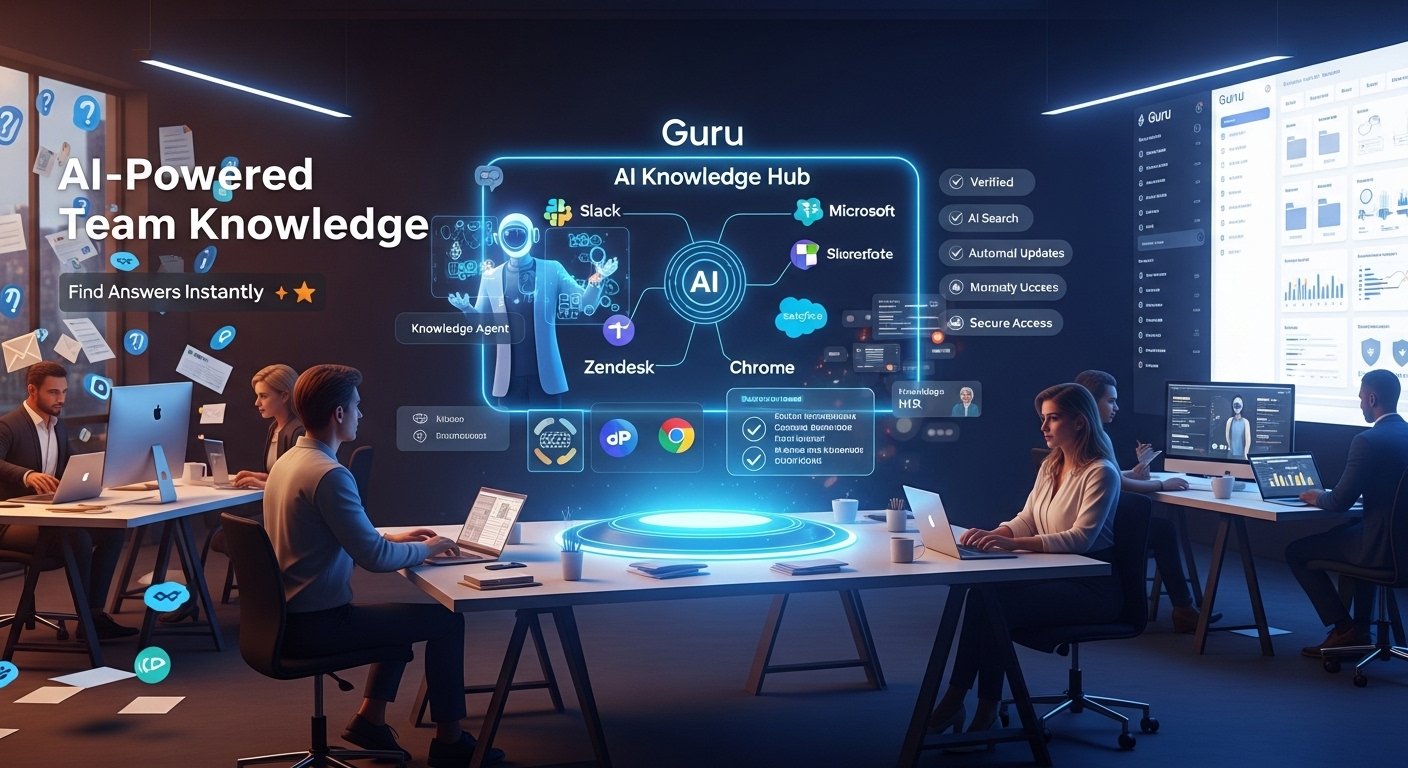
In a world where information overload is the norm, finding the right answer quickly can make or break productivity. Employees often spend hours hunting through emails, shared drives, Slack threads, or old documents just to locate a policy, process, or product detail. This scattered knowledge leads to repeated questions, slower onboarding, and frustrated teams. Guru knowledge base software addresses this head-on by centralizing company information into a single, reliable platform that’s enhanced with artificial intelligence.
Guru, available at getguru.com, is a modern knowledge management tool built for growing teams. It goes beyond a traditional wiki by embedding itself into everyday workflows, suggesting answers proactively, and using AI to keep content accurate and up-to-date. Thousands of companies—especially in tech, customer support, HR, and sales—rely on it to reduce repetitive work and empower employees with instant access to verified information.
Key Features That Set Guru Apart
Guru combines intuitive design with powerful AI to make knowledge sharing feel effortless. Here are some of its standout capabilities:
Easy Knowledge Capture
- Team members can create and save content directly from Slack, Microsoft Teams, browsers, or email without switching apps.
- A collaborative editor supports rich formatting, embedded media, in-line comments, and change tracking.
- AI detects duplicates and suggests improvements, while built-in writing assistance helps draft clear content quickly.
Intelligent Search and AI Agents
- The search goes beyond keywords—it reasons through queries and delivers cited, step-by-step answers.
- Custom “Knowledge Agents” act like specialized AI assistants (e.g., a Sales Optimizer or Support Superhero) that teams can tailor to specific roles.
- Research mode breaks complex questions into guided plans with sources and explanations.
Organization and Security
- Content is grouped into collections, folders, and custom dashboard pages for easy navigation.
- Automated verification reminders and quality checks flag outdated information so nothing stays stale.
- Enterprise-grade controls include role-based access, encryption, zero data retention with third-party AI models, and compliance with SOC 2 and GDPR.
Seamless Integrations
- Guru connects to over 100 tools, including Slack, Teams, Salesforce, Zendesk, and HR systems.
- Browser extensions for Chrome and Edge overlay suggestions on any webpage, making it ideal for customer-facing teams.
These features work together to keep knowledge alive and accessible, rather than buried in static documents.
Pricing Overview
Guru uses straightforward, per-user pricing designed for scaling teams.
- Standard Plan: $25 per user per month (billed annually) or $30 per user per month (billed monthly). It includes full AI features, knowledge automation, advanced search, and standard integrations.
- Enterprise Plan: Custom pricing with added security options like private AI models, IP whitelisting, and dedicated support.
- Non-profits may qualify for discounted “Guru for Good” rates.
There’s no free forever plan, but the platform includes AI usage credits based on typical team needs. Many users find the cost justified by time savings, especially for mid-sized companies (50–1000 employees).
Common Challenges and How to Address Them
While Guru earns strong praise for ease of use and workflow integration, some users note a few hurdles:
- Adoption Curve — Teams accustomed to basic wikis or Google Docs may need initial training to fully leverage AI agents and capture tools.
- Cost for Smaller Teams — At $25+ per user, it can feel premium compared to simpler (and less capable) alternatives.
- Content Maintenance — Like any knowledge base, success depends on consistent contributions; without engagement, even AI automation can’t fill every gap.
These issues are manageable with clear onboarding, assigned content owners, and regular usage analytics (which Guru provides).
Latest Developments and User Insights (2025–2026)
As of early 2026, Guru continues to lean heavily into AI advancements. Recent release notes highlight expanded Knowledge Agent capabilities, improved answer explainability (showing exact sources and reasoning), and tighter integrations with external AI systems like Claude. The platform now emphasizes “permission-aware governance,” ensuring every AI response respects real-time access controls.
Recent YouTube tutorials and reviews from 2025–2026 echo these updates. Creators demonstrate how quickly users can build custom agents—for example, an HR Buddy that answers policy questions with citations. Many highlight the Slack integration as a game-changer, allowing reps to grab verified answers mid-conversation without leaving the thread. Reviewers also appreciate automated content health checks, which one 2025 tutorial called “the feature that finally makes knowledge bases feel alive instead of outdated.”
Overall, users rate Guru highly for reducing search time and improving answer accuracy, especially in fast-moving customer support and sales environments.
Tips for Getting the Most Out of Guru
To maximize value from Guru knowledge base software, try these practical steps:
- Start with High-Impact Areas → Roll it out first to customer support or sales teams, where quick answers directly affect revenue and satisfaction.
- Encourage In-the-Moment Capture → Train everyone to use the browser extension or Slack commands to save info as it arises—preventing knowledge from slipping away.
- Set Up Verification Workflows → Assign subject-matter experts and enable automated reminders to keep critical content fresh.
- Build Custom Agents Early → Create role-specific agents during onboarding so new hires experience instant value.
- Monitor Analytics → Use built-in insights to spot frequently searched topics and turn them into verified cards proactively.
- Combine with Announcements → Push urgent updates (policy changes, product launches) to ensure everyone sees and acknowledges them.
Following these habits helps teams move from reactive searching to proactive knowledge sharing.
Final Thoughts
Guru knowledge base software stands out as a smart, AI-driven solution for companies tired of scattered information and repetitive questions. By embedding knowledge into daily tools, automating upkeep, and delivering cited, secure answers, it helps teams work faster and smarter. While it requires commitment to adoption and content creation, the payoff—less frustration, quicker onboarding, and higher productivity—is clear for growing organizations.
If your team struggles with “where do I find that?” moments, Guru offers a modern way to turn collective expertise into a true competitive advantage. Start with a demo to see how it fits your workflow—you might wonder how you ever managed without it.
FAQs
Guru is an AI-powered knowledge management platform that centralizes company information and delivers verified answers directly within tools like Slack, Teams, and browsers.
Unlike basic wikis, Guru uses AI-powered search, Knowledge Agents, automated verification reminders, and real-time workflow integrations to keep content accurate and accessible.
Yes, Guru integrates with over 100 tools including Slack, Microsoft Teams, Salesforce, Zendesk, Chrome, Edge, and HR systems.
Knowledge Agents are customizable AI assistants tailored to specific roles (e.g., Sales, HR, Support) that provide contextual, cited answers instantly.