
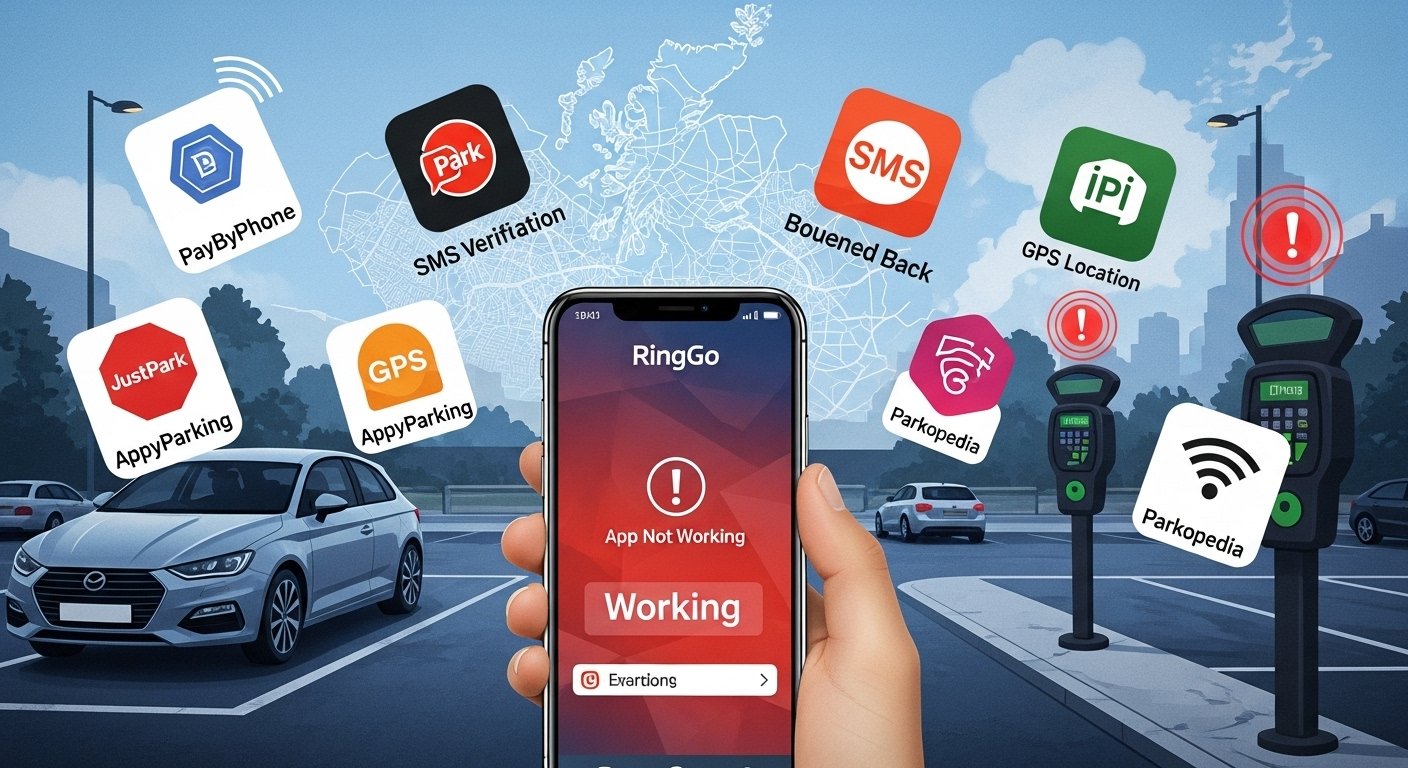
The transition from localized, coin-operated parking meters to centralized, cloud-based digital payment platforms represents a tectonic shift in urban mobility management. Within the United Kingdom, RingGo has emerged as the dominant infrastructure provider for cashless parking, facilitating transactions for more than 21 million registered users across a network of 17,000 locations and 500 towns and cities.1 However, the increasing reliance on this digital monopoly has introduced a new class of systemic risks. When the RingGo application fails to function, it does not merely result in a failed transaction; it triggers a cascade of legal, financial, and operational disruptions for motorists, local authorities, and private landholders.4 This report provides an exhaustive examination of the technical architecture of the RingGo platform, identifies the root causes of service interruptions, analyzes recent major outages—including the January 2026 event—and offers a robust framework for troubleshooting and legal recourse.
The Architecture of Digital Parking and Platform Dependencies
The RingGo ecosystem is not a monolithic entity but a complex orchestration of mobile client applications, server-side APIs, payment gateways, and third-party verification services. Its operational integrity is contingent upon the seamless interoperability of these components. A failure in any single node—from the user’s handset operating system to the bank’s 3D Secure (3DS) verification server—can render the entire parking process “broken” from the perspective of the end-user.7
Operating System Deprecation and the Hardware Ceiling
As digital platforms evolve to incorporate more robust security protocols and advanced features like real-time GPS session timers, they inevitably leave older hardware behind. RingGo’s current technical requirements necessitate modern software environments that many older devices cannot support. This deprecation cycle is a primary, though often overlooked, cause of the app “not working” for a significant demographic of motorists.9
The following table details the current operating system requirements and the impact of recent deprecations as of late 2025:
| Device Type | Required Operating System (OS) | Deprecation Status (as of Oct 2025) | Impact of Incompatibility |
| iPhone / iPad | iOS 16.0 or later 3 | iOS 14 and 15 support ended 3 | App crashes, failed updates, “Unsupported” errors |
| Android Devices | Android 9.0 or later 9 | Android 8.0 and below legacy status | Map rendering failures, security certificate issues |
| Apple Watch | watchOS 9.0 or later 3 | Legacy hardware exclusion | Failed notification sync, session timer errors |
The cessation of support for iOS 14 and 15 in October 2025 was a strategic move to align the app with modern security standards, but it effectively rendered the app unusable on devices like the iPhone 6S or early SE models.3 For users on these platforms, the app may appear to be “broken” because it cannot be updated to the latest version, which is often a mandatory gate for logging in.10 This creates a “security-functionality paradox” where the measures taken to protect user data simultaneously prevent the user from accessing the service.
The “Latest Version” Authentication Gate
A recurring technical issue reported by users is the “Update Loop.” In this scenario, the application prevents the user from logging in, displaying an “Info” message stating that a more recent version of the app is required as an added security measure.10 This problem is compounded when there is a lag between the developer’s release and the availability of the update on third-party stores or regional mirrors.10
Evidence from December 2025 indicates that users of the Aurora Store or alternative Android repositories often experience a delay in receiving versions such as 7.80.0, leading to a state where the app is “up to date” according to the store but “outdated” according to the RingGo authentication server.10 This discrepancy highlights the fragility of platform-enforced versioning, which assumes a level of synchronization across global app distribution networks that does not always exist in practice.

Authentication Failures: The Logic of the Login Loop
The authentication process is the first point of interaction and the most frequent site of failure. The complexity of user credentials, combined with aggressive account protection algorithms, often traps legitimate users in a cycle of failed attempts and password reset loops.5
Complexity Requirements and Validation Errors
RingGo enforces a stringent password policy designed to thwart brute-force attacks. However, these same requirements frequently lead to “invalid password” errors when users attempt to recover accounts. The necessity of including uppercase letters, lowercase letters, numbers, and a very specific set of allowed special characters often leads to typos or forgotten credentials.13
| Category | Allowed / Required | Forbidden |
| Minimum Length | 8 Characters 13 | Less than 8 |
| Special Characters | ! # $ % & ' ( ) * + , -. / : ; =? @ [ ] ^ _ { | } ~ | < > " (space) 13 |
| Credential Type | Email or Telephone Number 13 | Username-only logins |
A deeper insight into these failures suggests that many “invalid password” messages are actually the result of the app’s cache holding onto corrupted session data. Even after a successful password reset on the RingGo website, the app may continue to reject the new credentials until the local cache is cleared or the app is reinstalled.9 This technical nuance is rarely communicated to the user, leading to the perception that the account is permanently compromised or the system is fundamentally flawed.5
The “Verification Code” Bottleneck
For users attempting to register or reactivate accounts, the reliance on SMS-based verification codes introduces a significant external dependency. Delays in SMS delivery—often caused by carrier congestion or regional roaming restrictions—can prevent the completion of the login process.11 This is particularly acute for international tourists who find that the RingGo system often fails to send verification codes to non-UK mobile numbers, effectively locking them out of the parking infrastructure entirely.16
Financial Friction: PSD2 and the 3D Secure Verification Wall
The most critical stage of the parking session is the initiation of payment. In recent years, the implementation of the Second Payment Services Directive (PSD2) and its Strong Customer Authentication (SCA) requirements have introduced a significant layer of friction into the RingGo checkout process.7
The 3DS Redirection Failure Mechanism
RingGo utilizes 3D Secure (3DS) to authenticate transactions. This process requires a three-way communication between the RingGo app, the payment processor (such as Stripe or Worldpay), and the user’s bank.17 In an urban parking environment, this communication is frequently interrupted by poor mobile signal.
If a driver is in a basement car park or an area with high building density, the device may have enough signal to load the RingGo interface but insufficient bandwidth to maintain the secure “handshake” required for the bank’s verification page.17 When the bank attempts to challenge the transaction—perhaps by redirecting the user to their banking app or sending an SMS code—the connection often times out. The result is an “unpaid session” error, which may not be immediately obvious to the user, who might assume the payment was successful simply because they pressed the final button.7
Corporate and Multi-User Card Complications
The 3DS protocol is uniquely ill-suited for corporate fleet management. When a company credit card is registered on a RingGo account, the 3DS verification code is typically sent to the primary cardholder or a centralized department.7 If a driver is in the field attempting to park, they are often unable to access the code, leading to a transaction decline.7 RingGo has recognized this as a systemic issue and recommends the use of Apple Pay or Google Pay as a workaround, as these platforms utilize biometric authentication (FaceID/TouchID) which fulfills SCA requirements without the need for an external SMS challenge.7
Environmental and Geospatial Failure Modes
Beyond software and finance, the physical environment in which the app is used plays a deterministic role in its performance. RingGo’s reliance on Global Positioning System (GPS) data and mobile network infrastructure introduces vulnerabilities that are often misdiagnosed as “app bugs”.19
GPS Inaccuracy and the “Wrong Car Park” Trap
RingGo uses the device’s GPS to suggest nearby parking locations. However, in dense urban centers where multiple parking zones are adjacent to one another, the GPS margin of error (often $\pm$ 10-30 meters) can lead the app to suggest an incorrect location code.5 If a user inadvertently selects a suggested code for a different zone—even if it is operated by the same council—the payment is legally invalid for the space they are occupying. This results in the issuance of a Penalty Charge Notice (PCN) despite the motorist’s genuine attempt to pay.5
Signal Dead Zones and the Grace Period Conflict
Most parking regulations allow for a “consideration period” of 5 to 10 minutes for a driver to read signs and arrange payment.4 However, if the RingGo app fails to load due to poor signal, this period can expire while the driver is still troubleshooting. The technical failure of the app thus directly contributes to a legal violation. Evidence suggests that in locations with notoriously poor signal, such as underground facilities, drivers should avoid the app entirely and utilize the automated phone service or text-to-park options, which require significantly less data bandwidth than the full app interface.4

Monetization and the “Hidden Fee” Controversy
A major source of user dissatisfaction, often reported as the app “not working correctly” or being a “scam,” involves the automatically enabled SMS notification fees. These charges are not part of the base parking tariff but are added as “convenience fees” agreed upon by RingGo and the parking operator.8
The Behavioral Economics of Opt-Out Settings
RingGo employs an “opt-out” rather than “opt-in” model for its SMS reminders and confirmations. These messages typically cost between $£0.10$ and $£0.20$ each.8 For a short-term parking stay costing $£1.50$, the addition of a $£0.20$ convenience fee and two $£0.20$ SMS alerts can increase the total cost by nearly 40%.14
The following table illustrates the potential cost inflation for a typical urban parking session:
| Fee Component | Estimated Cost | Status | Implication |
| Base Parking Tariff | $£3.00$ | Variable | Determined by the local council |
| Convenience Fee | $£0.20$ | Mandatory (in some areas) | Charged for the use of digital services 23 |
| SMS Confirmation | $£0.20$ | Opt-Out | Confirms session start via text 8 |
| SMS Reminder | $£0.20$ | Opt-Out | Alerts user before session expires 8 |
| Total Cost | $£3.60$ | — | 20% increase over advertised price |
Many users perceive this as a failure of the app’s transparency. To mitigate these costs, users must manually navigate to the “Parking Notifications” section of their account settings on the RingGo website or within the app to deselect these options.24 The fact that this requires a multi-step navigation process is a classic example of a “dark pattern” in user interface design, aimed at maximizing auxiliary revenue.

Major Incidents: Analyzing the January 22, 2026 Outage
The most significant recent failure of the RingGo ecosystem occurred on January 22, 2026. This incident serves as a critical case study in the fragility of centralized digital parking systems.6
Timeline of the January 2026 Event
At approximately 08:30 GMT on January 22, 2026, motorists across the UK began reporting “intermittent issues” with the RingGo app during the peak morning rush hour.6 The failure prevented users from initiating sessions, leading to widespread anxiety about potential fines.
- 08:57 GMT: Media outlets confirmed the outage, noting that drivers were unable to pay in more than 500 towns.6
- 09:13 GMT: RingGo official support acknowledged the issues via social media, citing “intermittent technical difficulties”.6
- Operational Discrepancy: During the height of the crisis, the official Ring status page continued to report “All Systems Operational”.26 This discrepancy occurred because the status page often monitors the Ring security camera ecosystem (a separate entity under Amazon ownership) rather than the RingGo parking service.9 This naming confusion is a significant barrier to users seeking accurate real-time information during a parking outage.
The “Frustration of Contract” Argument
From a legal standpoint, the January 2026 outage raised the question of liability. If a parking operator makes the RingGo app the exclusive method of payment—removing cash machines and card readers—they enter into a contract with the motorist that they must be able to fulfill. When the app goes down, the contract is “frustrated by impossibility”.4 Expert analysis suggests that while the parking operator may attempt to distance themselves from the app provider’s failure, the operator is legally responsible for the tools they select to collect payment.4
The Legal Landscape: Appealing a Fine When the App Fails
When the RingGo app fails and a driver is issued a Penalty Charge Notice (PCN), the driver must navigate a complex legal appeals process. There are distinct protocols for tickets issued by local councils versus those issued by private operators.27
Council PCN Appeals (Public Land)
Council-issued tickets are governed by statutory law. If the app failed, the motorist has strong grounds for an “informal challenge” within the first 14 days.28
- Do Not Pay Immediately: Payment is an admission of liability and closes the case.4
- Gather Evidence: Take screenshots of the RingGo error message, the “loading” wheel, and any “Cloud server unreachable” errors.4
- Submit Informal Challenge: Use the council’s online portal to submit the evidence. If the challenge is rejected, the council will issue a “Notice to Owner,” allowing for a “Formal Representation”.27
- Independent Adjudication: If the formal representation is rejected, the case can be taken to the Traffic Penalty Tribunal (for England and Wales outside London) or the London Tribunals. This stage is free for the motorist, and the adjudicator’s decision is final.27
Private Parking Invoices (Private Land)
Fines from private companies (e.g., at a hospital or supermarket) are technically “invoices” for an alleged breach of contract.
| Authority Body | Appeals Service | Key Defense |
| BPA Member | POPLA (Parking on Private Land Appeals) | Failure of the provided payment system 4 |
| IPC Member | IAS (Independent Appeals Service) | Lack of alternative payment methods 4 |
In Scotland, private parking fines have historically been harder to enforce through the courts compared to England and Wales, although motorists are still advised to engage with the appeals process rather than simply ignoring the correspondence.21

Comprehensive Troubleshooting Protocol for RingGo Failures
When a motorist finds the RingGo app is “not working,” they should follow a tiered troubleshooting protocol to minimize the risk of a fine.
Tier 1: Technical Quick-Fixes
- Network Toggle: Switch from Wi-Fi to cellular data (or vice versa). 3DS verification often fails on public Wi-Fi due to security firewalls.9
- Force Stop and Clear Cache: On Android, navigate to Settings > Apps > RingGo > Storage and select “Clear Cache.” On iOS, “Offload” and reinstall the app to refresh system files without losing user data.9
- VPN Deactivation: Virtual Private Networks (VPNs) can trigger fraud detection algorithms in the 3DS process, leading to transaction declines.9
- OS Verification: Ensure the device is running at least iOS 16 or Android 9.3
Tier 2: Alternative Payment Channels
If the app interface remains unresponsive, the following channels provide essential redundancy:
- Automated Phone Service: Dial the number on the parking sign (typically 020 3046 0010 or 020 7125 0044).22 This bypasses the app’s UI and relies on a voice-guided system.
- Mobile Website (myringgo.co.uk): The web interface often uses a different server-side path than the app and may remain functional even during an app-specific API outage.11
- Text to Park: Send an SMS with the location code and duration to 81025. This is the most resilient method in low-signal areas.22
Tier 3: Payment Method Rotation
- Digital Wallets: Switch from a direct credit card to Apple Pay or Google Pay to bypass SMS-based 3DS challenges.7
- Pre-Authorization Check: If a “Start:Stop” session fails, it may be because the bank rejected the pre-authorization hold (which can be as high as the daily maximum for that car park).8 Ensure the account has sufficient funds for the full day rate, even if only parking for an hour.
The Competitive Context: App Proliferation and Fragmentation
A broader issue contributing to the “broken” user experience is the fragmentation of the UK parking market. Motorists often find that their “working” RingGo app is useless in a town that has contracted with a different provider.30
The following table compares RingGo with its primary UK competitors:
| App Name | Market Position | Unique Feature | Primary Reliability Concern |
| RingGo | Largest UK provider 1 | 17,000+ locations 2 | Update loops and hidden SMS fees 10 |
| PayByPhone | Major second-tier provider 31 | Simplified expiry notifications | Limited search/map functionality 32 |
| JustPark | Leader in private space rental 34 | Pre-booking of private driveways | Limited on-street council coverage 32 |
| AppyParking | High-end UI focus 33 | Integrated street-view and price maps | Smallest geographic footprint 32 |
| Parkopedia | Global directory 33 | Massive database (8,000 cities) | Lack of native in-app payment 32 |
The lack of a “Universal Parking App” means that a typical UK driver must maintain between 5 and 8 different parking applications on their phone to ensure they can pay in any given location.30 This fragmentation is the ultimate systemic failure of the smart city movement, as it places the burden of interoperability entirely on the consumer.

Future Outlook: Toward the National Parking Platform (NPP)
The persistent failures of the RingGo app and its competitors have prompted the UK government to pilot the National Parking Platform (NPP). The goal of the NPP is to decouple the payment app from the parking operator. Under this model, a driver could use the RingGo app to pay for a space in a car park that currently only accepts PayByPhone.
This shift would eliminate the “app not working” crisis caused by platform exclusivity. If one provider’s app is down, the user could simply switch to another app to pay for the same space. Until this platform is fully realized, however, the digital parking landscape remains a fragile ecosystem of silos where the failure of a single server can lead to a fine for a motorist who was simply trying to park legally.
Summary of Actionable Insights for Motorists
The analysis of the RingGo platform reveals that service interruptions are rarely the result of a single catastrophic failure but are instead the product of specific technical misalignments. By understanding the mechanism of 3DS verification, the impact of OS deprecation, and the availability of alternative payment channels like SMS and phone lines, motorists can significantly reduce their vulnerability to parking enforcement. In the event of an unavoidable system failure, the rigorous collection of contemporaneous evidence—specifically screenshots of error messages and photos of inoperable physical machines—remains the only viable defense against unfair Penalty Charge Notices. The ongoing digitization of urban infrastructure demands a higher level of “digital literacy” from drivers, who must now act as their own technical support and legal advocates in the face of an increasingly automated and sometimes unreliable smart city.
FAQ’S
The RingGo app may fail due to outdated operating systems, app version discrepancies, 3D Secure (3DS) payment verification issues, poor GPS signal, or server outages. Older devices that cannot run iOS 16 or Android 9.3 may also face compatibility problems.
Ensure your device meets the minimum OS requirements (iOS 16+ or Android 9.3+). Clear the app cache, reinstall the app, or try using an alternative method such as the RingGo website, SMS-to-park, or automated phone payment.
Payments can fail due to:
Poor mobile signal, especially in underground or dense urban areas
3DS verification timing out
Corporate or multi-user credit card issues
Bank pre-authorization problems
Switching to Apple Pay or Google Pay often resolves these issues.
You can challenge the PCN by:
1.Taking screenshots of error messages or loading failures
2.Submitting an informal challenge to the council (for public land)
3.Using independent appeals services (for private parking fines)
4.Avoid paying immediately, as paying may admit liability
 Bilal Ahmad